


How much should a small business spend on Google Ads? There is no minimum spending commitment, so the right budget depends on what a click costs, how many clicks turn into an enquiry and what that enquiry is worth to your business.
If you are asking this question, you are probably in one of two positions. You have tried Google Ads before, spent money and cannot point to a single enquiry it brought in. Or you have not started yet because you have no idea what it is going to cost.
The answer for both starts in the same place.
There Is No Minimum Spend on Google Ads.
Google does not set a minimum spending commitment. You choose an average daily budget for each campaign based on what you are comfortable spending.
That means you can start with a more modest budget and adjust it once there is enough data to see what is happening.
For Search campaigns using cost-per-click bidding, you are charged when someone clicks your advert. If you are using manual CPC, you can set a maximum amount you are generally willing to pay for a click, although your actual cost per click is often lower.
Your budget controls how much you are prepared to spend. It does not tell you whether that money is bringing in customers.
Not getting enough enquiries?
Book a free audit and we’ll spend 30 minutes going through your website, telling you exactly what’s holding it back and what we’d do to fix it.
Book your free audit
What our clients have to say.
Real feedback from satisfied customers who’ve experienced first-hand how our solutions have made a difference.
I knew I needed an expert, and that is exactly what I got by contacting her.
A big shout out to Jude Wates of the Sokada team, who helped me resolve a months-old problem with my Google Business page. There was a technicality that I had overlooked, and Jude helped me identify what it was and how to resolve it. I knew I needed an expert, and that is exactly what I got by contacting her. Thank you for making my headache go away, Jude!
I have received lots of compliments for the new look, and I’m very proud of the results.
The team at Sokada, led by Julian Wates with Charlie Saunders and Stephen Evans, has worked really hard to prepare my new website. I have received lots of compliments for the new look, and I’m very proud of the results. The ongoing training I have been given by Charlie leaves me confident that I can update the site whenever I need to. I have no hesitation in recommending Sokada.
How Google Charges You Each Month.
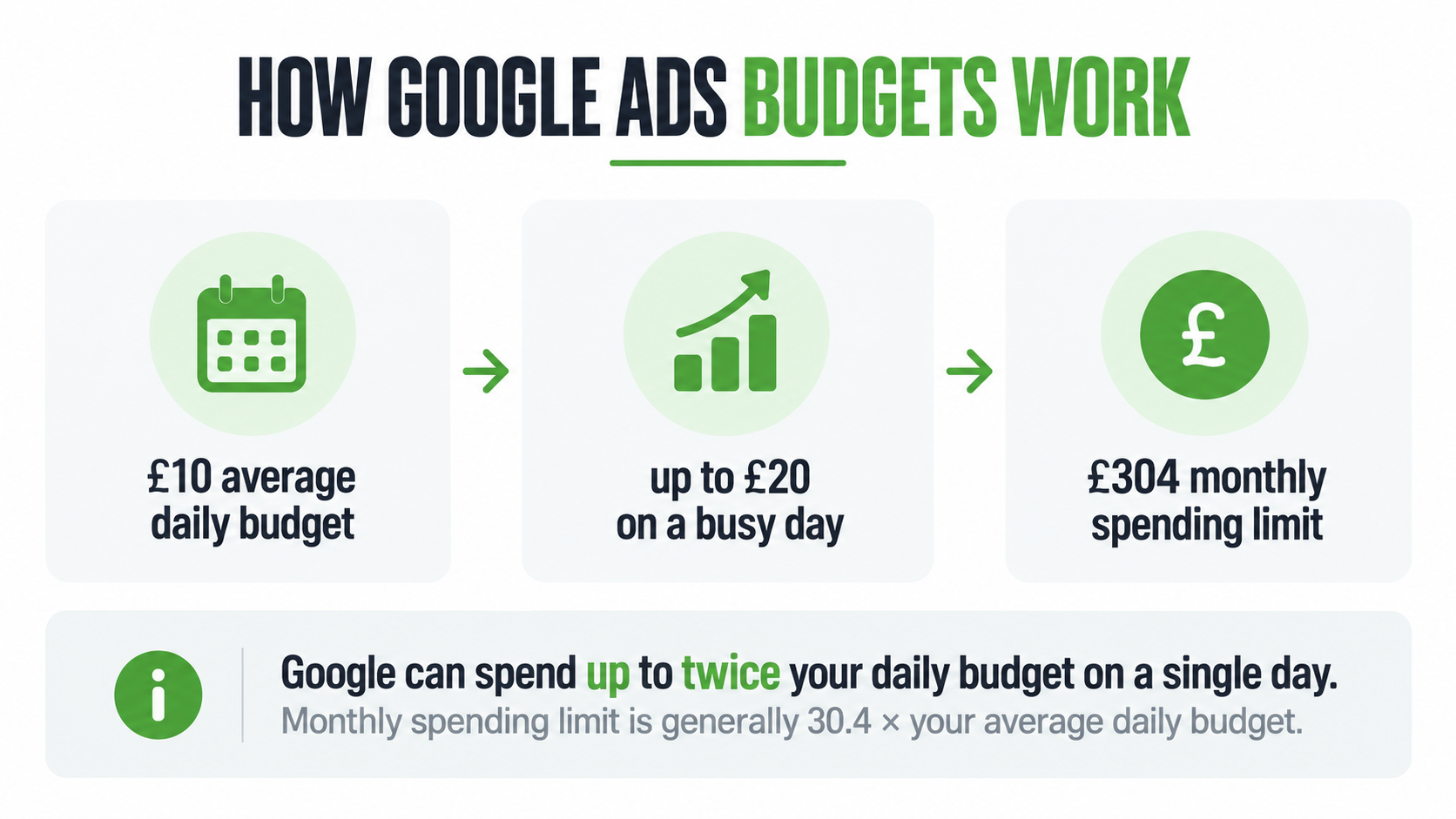
An average daily budget is exactly that, an average.
For most campaigns, Google can spend up to twice your average daily budget on an individual day when there is more traffic available. Over the month, the monthly spending limit is generally 30.4 times your average daily budget.
So if your average daily budget is £10, your campaign could spend up to £20 on a busier day, but its monthly spending limit would normally be £304.
UK advertisers also need to account for Google’s 2% Digital Services Tax fee on ads served in the United Kingdom.
On £304 of advertising spend, that would add just over £6 to the bill.
Work Backwards From the Enquiries You Need.
A useful way to set your Google Ads budget is to start with the result you want rather than choosing a number that simply feels affordable.
You need to think about three things.
- How many enquiries do you want each month?
- What percentage of people who click your advert are likely to enquire?
- What does a click for your service usually cost?
Here is a simple example.
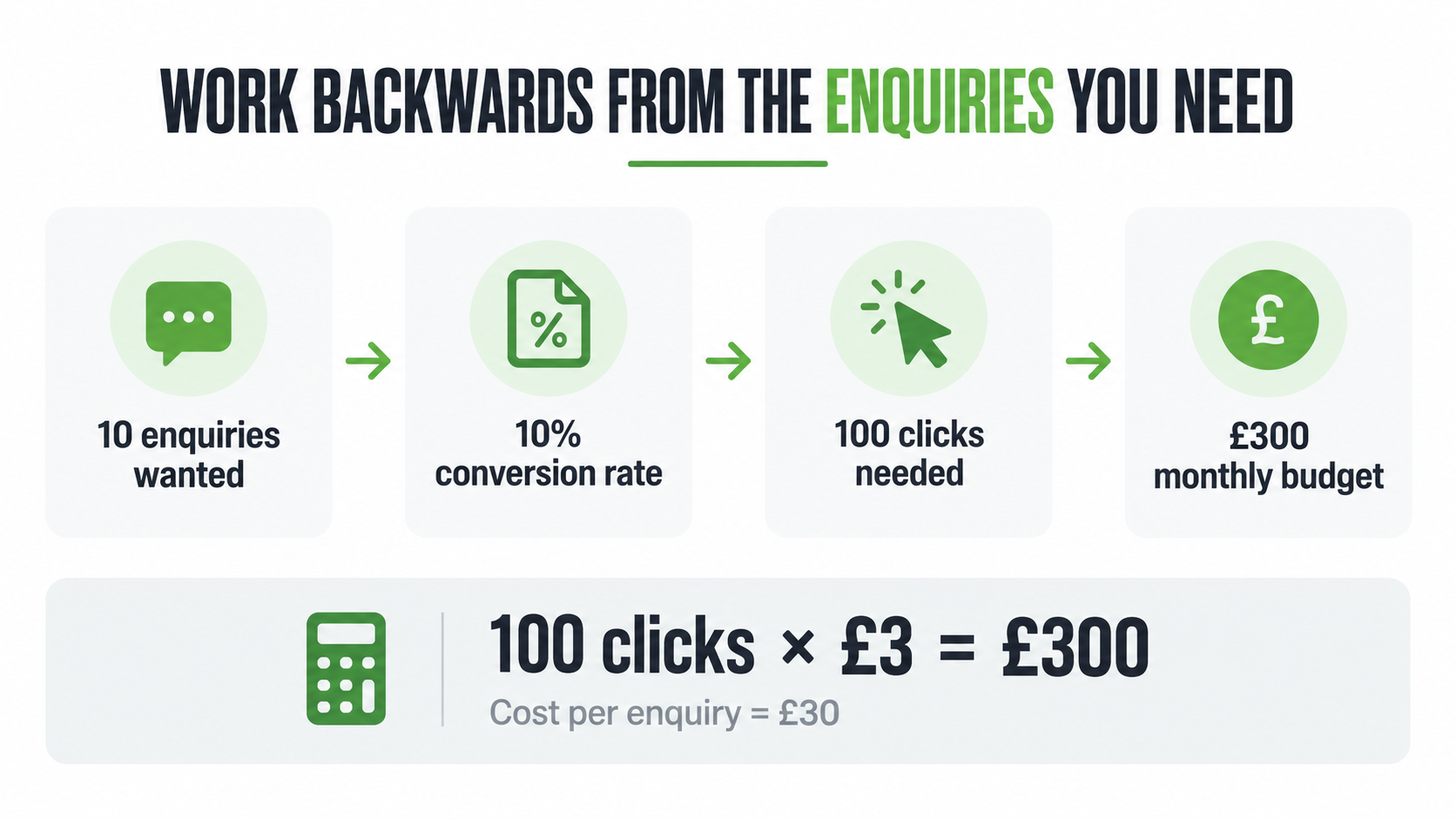
Say you want 10 enquiries a month. One in every 10 people who click your advert goes on to call you or fill in a form, giving you a 10% conversion rate. If the average click costs £3, you would need around 100 clicks.
100 clicks at £3 is £300 a month, which means each enquiry has cost you £30 in advertising.
Now look at what happens after that enquiry arrives.
If you turn one in three enquiries into a customer, you have spent around £90 in advertising to win each customer. If that customer is worth several hundred pounds to the business, that could make sense.
If the average job is only worth £80, those numbers do not work. Increasing the budget would simply increase the amount being spent on an unprofitable campaign.
This is why your budget should be linked to what a customer is actually worth to you.
Not getting enough enquiries?
Book a free audit and we’ll spend 30 minutes going through your website, telling you exactly what’s holding it back and what we’d do to fix it.
Book your free auditCase studies.
Behind every one of these is a business owner who was frustrated, not getting enough enquiries, and needed someone to actually sort it. We’re proud of every single one.
Black Label Grading
What a Click Costs Depends on Your Business.
There is no standard price for a Google Ads click.
The amount can change drastically depending on your industry, location, competition, keywords, bidding strategy and the quality of your ads and landing pages.
A solicitor bidding on a competitive legal search could face very different costs to a local café advertising nearby.
For your own business, Google Keyword Planner is quite a useful starting point than a broad industry average.
It can provide keyword ideas and forecasts for clicks, impressions and costs based on the locations and searches you want to target.
The figures are forecasts rather than guarantees, but they give you a much more relevant starting point for your own business.
Check Your Location Settings Carefully.
Location targeting can make a big difference to how efficiently your budget is spent.
Google Ads can target towns, regions, countries and areas around a location. However, the default setting can reach people who are in your chosen locations as well as people who have shown an interest in them.
For a business that can only serve customers within a certain area, it may make more sense to target people who are in or regularly in the locations you cover.
It is worth checking this rather than assuming every click will come from somebody physically within your chosen area.
Not getting enough enquiries?
Book a free audit and we’ll spend 30 minutes going through your website, telling you exactly what’s holding it back and what we’d do to fix it.
Book your free auditGive a New Campaign Time to Settle.
If you use an automated bid strategy such as Maximise conversions, Google adjusts bids based on how likely a search is to produce a conversion.
That system needs conversion data to improve though so don’t start with this strategy.
Google says the learning period is affected by the number of conversions, the length of your conversion cycle and the bidding strategy you are using. It can take a few conversion cycles for the strategy to calibrate after a change.
That does not mean leaving the campaign alone.
Check the search terms, make sure conversion tracking is working and keep an eye on the enquiries actually coming in.
A very small budget can also make it harder to collect enough data to see what is working.
More Budget Will Not Fix a Page That Does Not Convert.
Every click sends somebody somewhere.
If the page they arrive on is confusing, slow or does not clearly explain what you offer, increasing the advertising budget will not solve the problem.
Go back to the earlier example.
At a 10% conversion rate, you needed 100 clicks to generate 10 enquiries.
If only one in 50 visitors enquired instead, you would need 500 clicks to generate the same 10 enquiries. At £3 a click, the budget rises from £300 to £1,500.
The cost per click has not changed. The landing page has.
Before increasing your spend, make sure Google Ads is recording the conversions that matter, such as calls and completed enquiry forms, and send people to a page that closely matches what they searched for.
Not getting enough enquiries?
Book a free audit and we’ll spend 30 minutes going through your website, telling you exactly what’s holding it back and what we’d do to fix it.
Book your free auditAre You Spending Too Little or Too Much?
Once a campaign has been running for a while, the account starts giving you a much clearer picture.
If a campaign is marked Limited by budget, it means Google believes it could show more often with additional spend.
That does not automatically mean you should increase it.
If the campaign is generating useful enquiries at a cost that works for the business, increasing the budget may make sense.
If costs are rising without more enquiries, or the search terms show irrelevant traffic, look at the keywords, targeting, conversion tracking and landing page before spending more.
The same applies if plenty of enquiries are coming in but very few turn into customers. The issue may be the quality of the leads rather than the size of the budget.
Put more budget behind what is producing worthwhile business. Fix what is not before giving it more money.
So How Much Should You Spend?
There is no figure that works for every business.
A sensible Google Ads budget gives the campaign enough opportunity to generate useful traffic and enquiries while keeping the cost of acquiring a customer at a level that makes commercial sense.
Start with your own numbers.
Look at the likely cost per click in your area, estimate how many visitors you need to generate an enquiry and work out what a new customer is worth.
Then measure what actually happens.
Although this article focuses on small businesses, the same principle applies to larger organisations too. A bigger company may have a much larger advertising budget, more campaigns or more locations to cover, but the question is still the same. What are you getting back for what you spend?
We work with businesses of different sizes at Sokada, helping them manage Google Ads and Meta campaigns with a clear focus on enquiries, leads and return on spend.
If you are already running Google Ads and cannot tell whether they are working, or you want help deciding what budget makes sense before you start, book a free audit.
We will spend 30 minutes looking at your website and marketing and talk you through what we find.
If you want to know how much should a small business spend on Google Ads, you can also call us on 01435 817226 or get in touch with the team.
Not getting enough enquiries?
Book a free audit and we’ll spend 30 minutes going through your website, telling you exactly what’s holding it back and what we’d do to fix it.