


Social Media Has Arrived in Your Google Search Console.
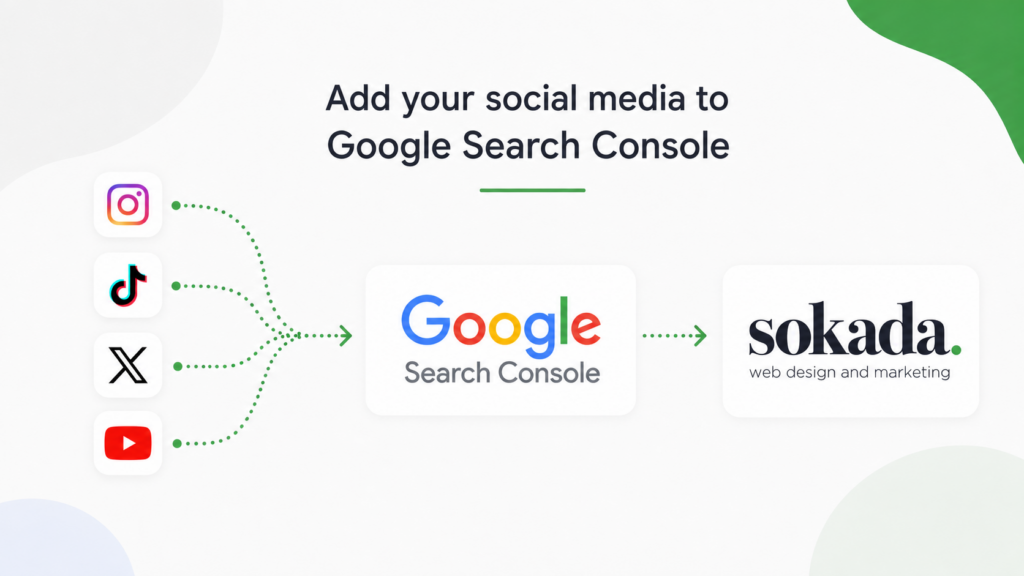
Google Search Console now lets you add your social media accounts as properties, so you can see how your Instagram, TikTok, X and YouTube content performs in Google Search. Google calls these platform properties. They launched on 7 July 2026 and rolled out worldwide later that month. So if you are looking to find out how to add your social media to Google Search Console and what is good about it then we are here to give you the answers!
To add one platform, open Search Console, click the property selector at the top left, choose Add property, pick your platform, then sign in to authorise the connection. There is no code to install and no DNS record to change. Once it is connected you get clicks, impressions, click-through rate, average position and the actual search terms people used before they clicked through to your post, covering Google Search, Discover and Google News.
Data takes a few days to appear and note that Facebook and LinkedIn are not supported yet. Connecting an account is measurement only, so it will not change how your posts rank.
What has actually changed?
Your social content has been showing up in Google results for years. Search for a business by name and you will often see its Instagram or YouTube channel sitting there next to the website. So this isn’t new.
What was missing was any way to measure it. Your Instagram insights would tell you a post got reach, but not that eleven of those people found it by typing a question into Google. Search Console has now changed and updated this information for you. You get the same query-level reporting for a social account that you have always had for a website which is really interesting, especially if you have loads of followers and interactions!
There is a second thing worth noting. Because verification works off your platform login rather than a domain, someone with no website at all can now use Search Console. For a lot of small businesses running on Instagram alone, that is the first time Google has shown them anything which is great news.
Not getting enough enquiries?
Book a free audit and we’ll spend 30 minutes going through your website, telling you exactly what’s holding it back and what we’d do to fix it.
Book your free audit
Case studies.
Behind every one of these is a business owner who was frustrated, not getting enough enquiries, and needed someone to actually sort it. We’re proud of every single one.
Black Label Grading
Before you start.
You will need:
A Google account, and you should be signed in to the right one. If you manage accounts for other people it is very easy to attach a property to the wrong login. Owner or admin access to the social account you are connecting, because you have to sign in to it and approve the request.
A few minutes per platform and each platform becomes its own separate property, so if you want Instagram and YouTube you add two.
If you already have your website verified in Search Console, Google may be able to connect a matching social account automatically. It is worth having your website property to hand.
Step by step
1. Sign in to Search Console. Go to search.google.com/search-console and sign in with the Google account you want the reporting to sit under.
2. Open the property selector. It is the dropdown at the top left showing whichever property you are currently looking at. You can also go directly to the Search Console verification page.
3. Click Add property. You will see the website options you are used to, Domain and URL prefix, and alongside them the platform options.
4. Choose your platform. Instagram, TikTok, X or YouTube. Pick one to start with.
5. Authorise the connection. There are two routes here. Google may offer an automated connection if it can already match that social account to a website property you have verified. Otherwise you sign in to the platform directly and approve the permission request. Either way you are proving you control the account, not the domain.
6. Wait for the confirmation. Verification is usually quick. The property will then appear in your list next to your website properties.
7. Repeat for each platform. There is no bulk option as you need to log into each, so it is one at a time.
If you cannot see the platform options at all, check you are on the current Search Console interface and that you are signed in to the correct Google account. The rollout finished in July 2026, so it should be there.
What you get once it is connected.
You should be able to see three reports, and they will look familiar if you use Search Console for a website.
Performance. Clicks, impressions, click-through rate and average position. You can filter by search query and by individual post, and split the data by Google Search, Discover and Google News. It exports, which is helpful if you want to sit it next to your website data.
Insights. A 28-day overview showing trends, your top posts and how people found them. This is useful for a quick monthly read.
Achievements. Milestone tracking, such as passing a click threshold within a 28-day window. More of a motivator than a metric!
A few practical notes. Data takes a few days to start appearing, and a new property will show partial data at first, so don’t judge it on day one. The default reporting window is 28 days. Google also asks you to re-authorise the connection every so often for security, so if your data suddenly stops, check the connection before you assume something has broken.
What it does not do.
It is worth going through this, because there seems to be a bit of confusion about this online.
This does not affect your rankings. Adding a property is only for reporting purposes. Nothing about your visibility changes because you connected it.
It does not replace your platform analytics. Instagram still tells you about reach, saves and follows. Search Console only tells you about Google. So it is two different questions.
It does not cover Facebook or LinkedIn. Four platforms at launch, and Google has not said what is next.
It does not give you historical data so you will not see data from before you connected, which is a good reason to set it up now even if you have no plans to look at it for a month.
Not getting enough enquiries?
Book a free audit and we’ll spend 30 minutes going through your website, telling you exactly what’s holding it back and what we’d do to fix it.
Book your free auditWhat our clients have to say.
Real feedback from satisfied customers who’ve experienced first-hand how our solutions have made a difference.
Cannot recommend Julian and the whole team at Sokada. Their knowledge and advice on websites and digital marketing is second to none and they will always give you the best and most honest advice.
I have no intention of changing what is working so effectively for us
I can whole-heartedly recommend the marketing services I have received thus far and have no intention of changing what is working so effectively for us
 Jo Crittenden Green Fig Catering Company
What we do with this data.
This is the part most guides skip, and it is the reason we are interested in the update.
The value is not in the social numbers on their own. It is in putting them next to your website numbers. Once you have both in one place you can start answering questions that used to be guesswork.
Say a client’s Instagram is picking up impressions in Google for a question about pricing, and their website has no page answering that question. That is a page you can write, and we may not have known to write it. Or a YouTube video is getting clicks for a service the site barely mentions. The social data becomes a list of things your customers want to know that perhaps your website is not covering.
It also now answers a conversation we have with clients constantly. Social media and your website should not now be two separate budgets doing two separate jobs. Google is now reporting on them in the same tool, using the same metrics, because as far as search is concerned they are all now one presence. Splitting them is why a lot of businesses spend money on both and get enquiries from neither.
Connect the accounts, give it a month, then look at your website performance and your social performance side by side. The gaps between them are usually where the next few enquiries could come from. So if you were wanting to find out how to add your social media to Google Search Console then we hope we have answered this question!
If you want a hand reading that data, or you have a suspicion your website and your marketing are not working properly together, we are always happy to have a look. It’s the first step in our SEO service.
Get in touch and we will tell you what we see.
Not getting enough enquiries?
Book a free audit and we’ll spend 30 minutes going through your website, telling you exactly what’s holding it back and what we’d do to fix it.
Book your free audit